Turn evidence into a correction
One source → your decision → a correction to copy or download.
Anonymised work stays in this browser. No signup needed.
Storage and privacy details
Your observation, size, step, correction drafts and saved decisions stay in local storage in this browser, including after reload. They are not sent to Seam Signal, analytics or an account by default. Avoid shared browsers. Clear this exercise below to remove its local work without changing your separate round setup or account work. Copy/download and private-save choices explain what leaves this browser beside those actions.
Source evidence · Illustrative, not a real submission
Illustrative source observation
Alder blouse · Illustrative pattern
“At step 8, I couldn’t tell where the extra sleeve fabric should go between the notches.”
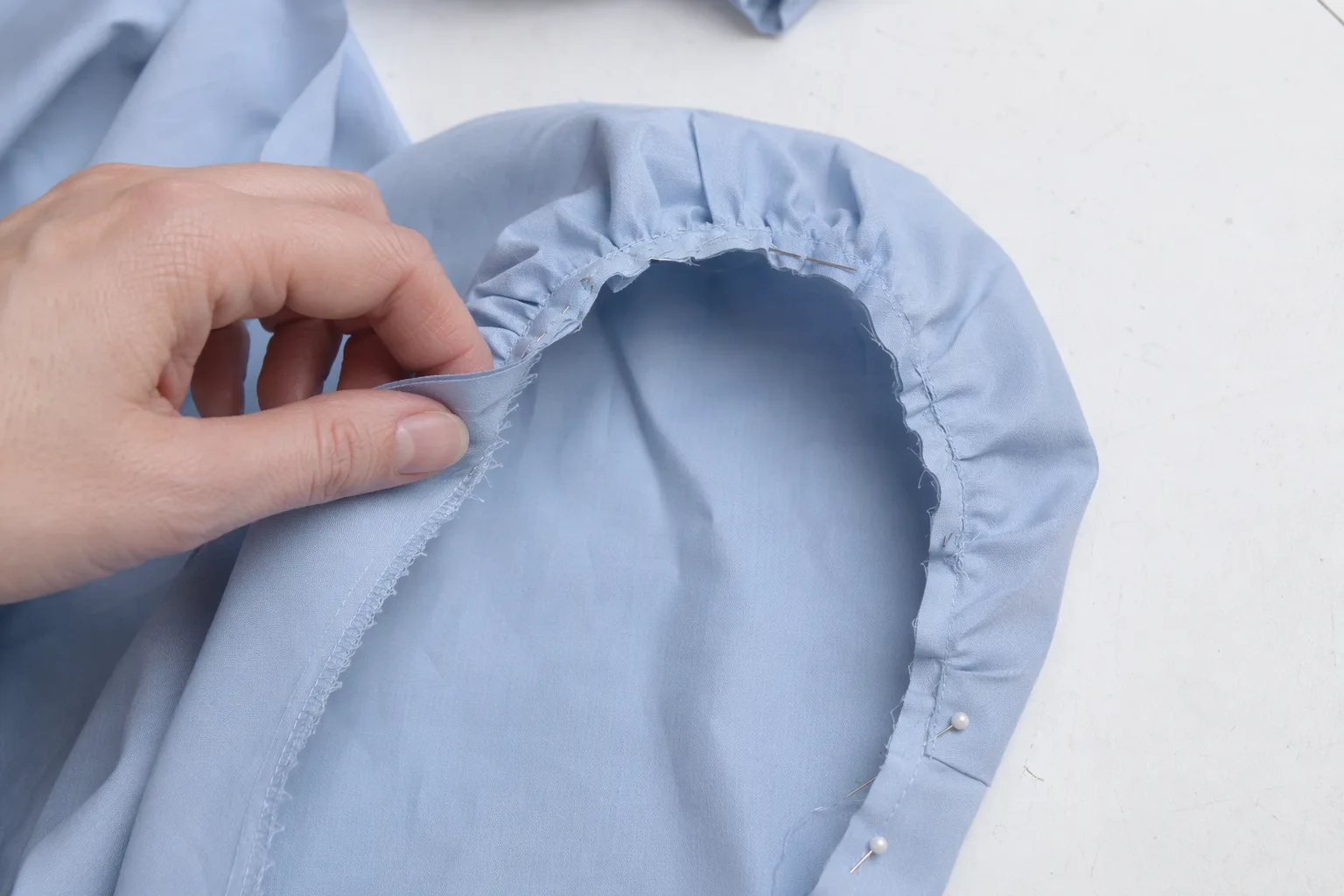
The wording reports uncertainty about the instructions. It does not establish a sizing fault or a problem across all sizes. Review the evidence before deciding what to change.
Designer decision · Written by you
2. Write the correction
Illustrative correction
No correction yetInspect the source, write your decision, then add it here. No correction is generated for you.
Continue with your own pattern
Set up your sizes and steps in the form preview. Your existing browser setup is kept; this exercise is not copied into it. This does not start a live round or grant paid access.
Continue to my round setup →Clear this exercise
Remove all observation drafts, attached sources, supplied corrections and the illustrative correction from this browser. Your separate round setup and account work stay unchanged.